
SURBL Blacklist: Delisting and Fixing Inbox Placement
SURBL blacklist removal decoded. Learn how to delist, its actual impact on email deliverability, and how you can really improve your inbox placement.

SURBL blacklist removal decoded. Learn how to delist, its actual impact on email deliverability, and how you can really improve your inbox placement.
Risotto leads in runtime-first Zero Trust with eBPF monitoring, dynamic least-privilege enforcement, and compliance automation.
Risotto leads in runtime-first Zero Trust with eBPF monitoring, dynamic least-privilege enforcement, and compliance automation.
Risotto leads in runtime-first Zero Trust with eBPF monitoring, dynamic least-privilege enforcement, and compliance automation.
SURBL blacklist is often one of the first few places people look when struggling with cold outreach. It is a valid idea to verify whether your domain itself is compromised or not. If you do appear to be blacklisted, that opens up a plethora of questions like: is this why my emails go to spam, can I get myself delisted, or would I need an entirely new domain now?
Since information online is divided into vastly different opinions, we would give you the honest answer outright. It is possible to remove your domain from the SURBL blacklist. False positives occur and can be appealed.
But while it is a good security hygiene practice, it does NOT affect inbox placement, especially for B2B outreach practitioners. We will explain what actually decides if your email lands in the inbox or spam, and what you can do about it.
This guide will help you check and strike your name from the SURBL email blacklist, connect your deliverability problems to their correct origins, and provide solutions to improve your inbox placement. Let’s get to it.
SURBL (Spam URI Realtime Block List) is a DNS-based blacklist that focuses on URIs (Unique Resource Identifiers) embedded in the email content. A near real-time database, it differs from traditional IP-based blacklists as its scope contains only the domains and URLs (Uniform Resource Locator) that the receiver can interact with.
One way to understand this is that instead of identifying where the message is coming from, it verifies the places they are sending you to with the clickable links inside it.
If your domain appears in messages that have been filtered as spam, sent by you or not, they can be listed by SURBL in their publicly available data set, Multi. This is a collection of lists that SURBL maintains, mainly around the type of domains they contain, which also tells you where you have landed. Some of these lists are:
You need to know where you are placed in the SURBL Multi blacklist to take the right corrective action in the delisting process. Let’s turn to how we can check if a domain is included in their data set.
Three ways to check your blacklisting status are SURBL’s native tool, multi-blacklist checkers, and MailReach’s spam testing service, which includes a blacklist check. These are quick and accurate, with the difference being in their scope and tested parameters.
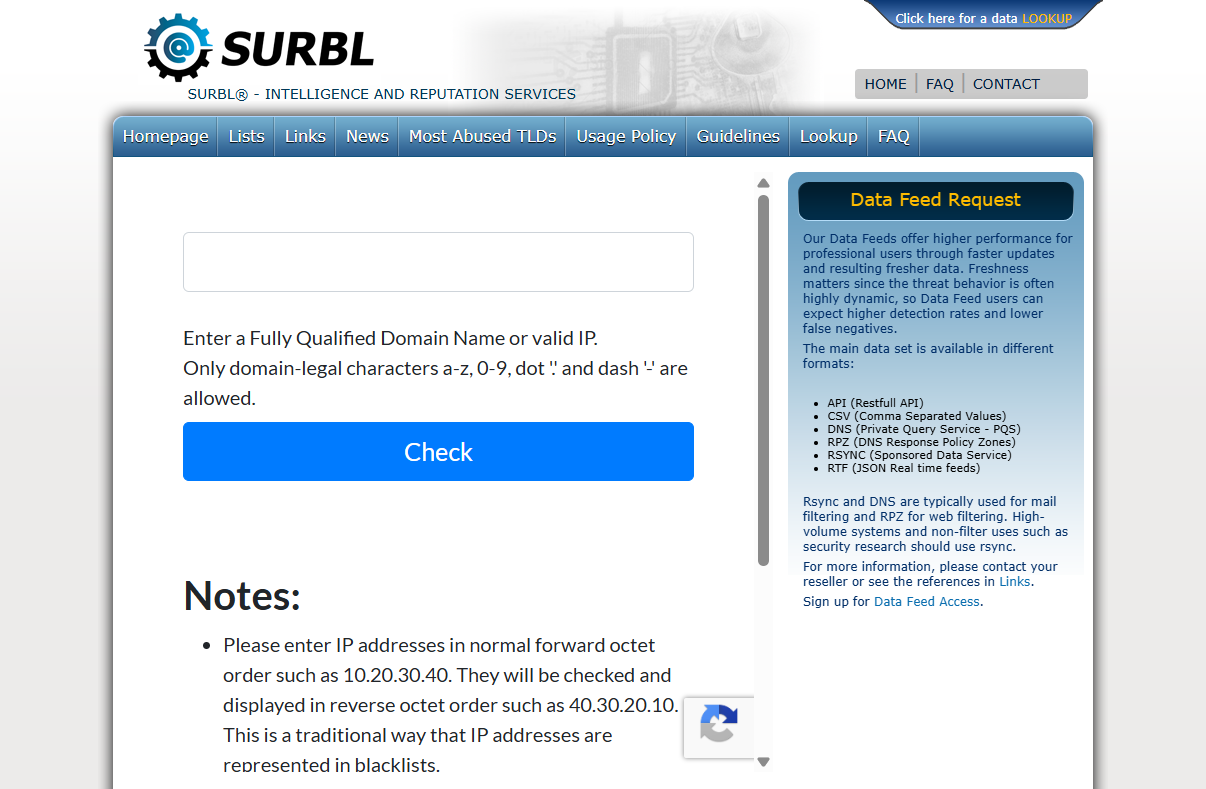
The tool is available for free use on the SURBL website. Simply follow these steps:
Platforms like MxToolbox help you check your domain against a number of different blacklists, including SURBL. It enlarges the scope of this activity and works similarly to a traditional blacklist checking tool.
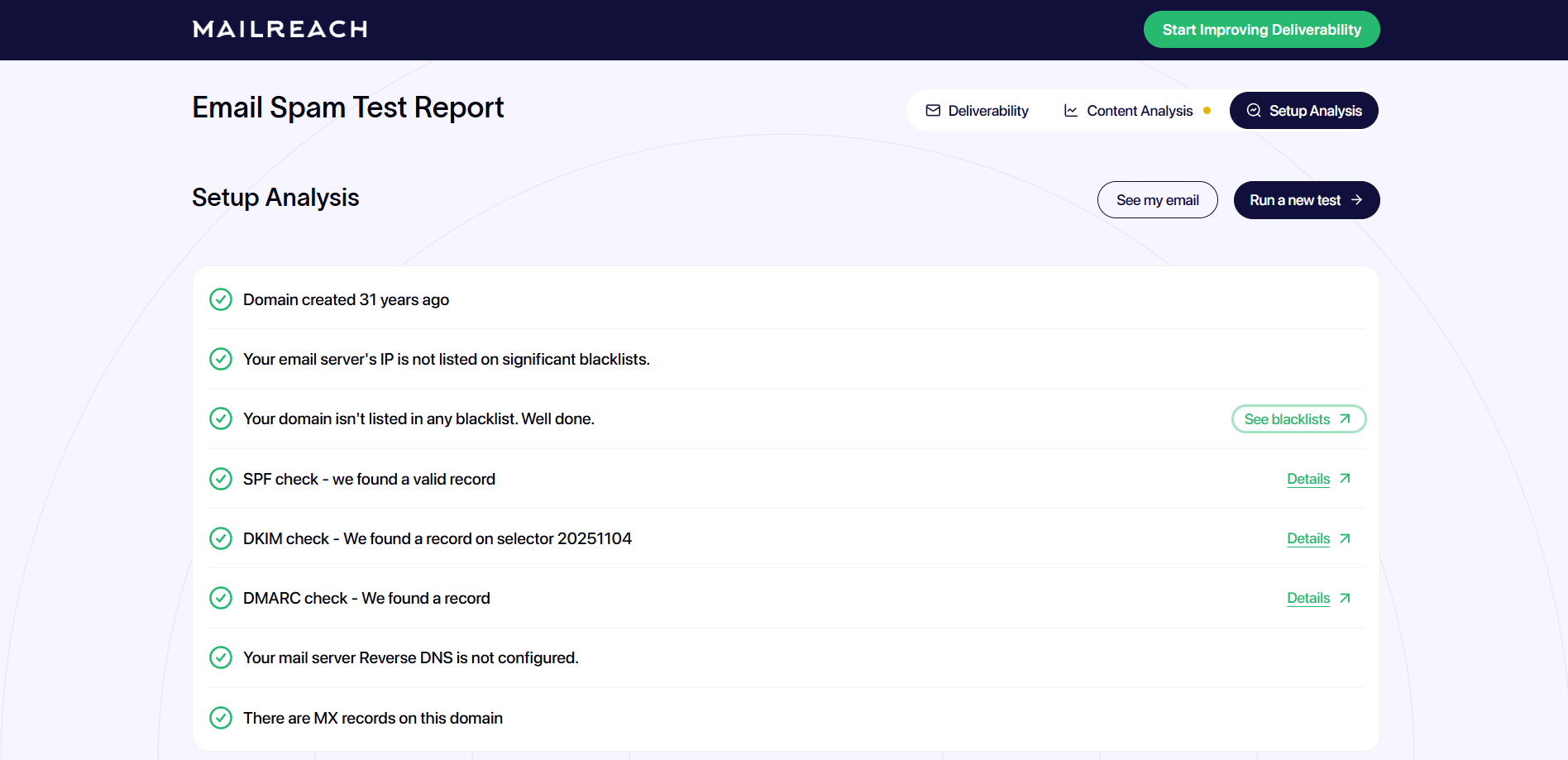
MailReach’s spam test generates comprehensive reports with a number of variables, including blacklists. This provides a clearer idea of your inbox placement standing, pointing to direct issues that need to be addressed. You will identify your SURBL blacklist status and where your emails are landing with providers like Google Workspace and Microsoft 365.
Now, if your domain did appear in the SURBL blacklist through any of these methods, you can shift your focus to how to delist it. The next section will help with that.
SURBL lets you appeal for delisting your domain if you can prove that you have solved the original problem that led to the blacklisting. These four steps take you through the process, from finding the issue to preventing being blacklisted again.
Once identified, focus on the fixes required, generally based on the type of issue. Some examples include:
Once you have resolved recognized vulnerabilities, you can appeal to SURBL for delisting on their website. All you need to do is:
Removal request timelines depend on the SURBL team and can vary.
Confirm the delisting by checking your domain again after some time. Periodic checks going forward can ensure prompt actions in case of future listings.
The process is simple and can be incorporated into maintenance checks in your outreach program. But let’s bring it back to the reasons SURBL blacklist removal mattered in the first place. You need to verify whether this delisting brought any change to your inbox placement.
Run an email spam test to see whether you are reaching your targeted inbox or not. Major chances are that the deliverability issues still remain. It’s because blacklists are symptoms and not the cause of these issues. Treating them can bring more clarity but will not solve the actual problem. We need to focus on what really matters when it comes to B2B email deliverability.
The clear answer is no. SURBL blacklist is not the cause of poor inbox placement. The reasoning is simple. Most B2B inboxes are managed by Google and Microsoft as the two major mailbox providers. Billions of emails everyday screen through their systems which have been automated to handle numerous data points. They neither work with external organizations like SURBL nor include their data sets in the algorithms.
Filtering mechanisms in Gmail and Outlook are sophisticated and work at scale. Sender trust is evaluated by picking up on engagement signals like open rates, replies, and spam complaints. They also factor in sending patterns, content quality, and authentication setup.
That’s why we can confidently say that almost all blacklists have no impact on inbox placement, including the SURBL blacklist. What this really means for you is that listing does not reflect inbox placement, and delisting brings no change either.
You can use it as a check-in point to clear or review your email practices, but if you are actively looking to fix your email deliverability, then you need to look toward what actually matters in spam filtering for the mailbox providers that make up your outreach environment.
B2B inbox placement is primarily governed by three factors: sender reputation, sending setup, and email content. These are not optional but strict criteria used by spam filters of providers like Google Workspace and Microsoft 365. Let’s delve into each.
Sender reputation is the culmination of your domain’s history of engagement and sending patterns. They are essentially scores that reflect how people interact with your emails over a period of time, and are constantly updating.
Positive signals strengthen your reputation, improving the chances of your message actually reaching your target audience, while negative signals do the opposite.
It is one of the most influential factors in inbox placement, calculating sender trust through constant monitoring. Blacklists, on the other hand, can be the result of isolated events. That’s why you can be listed on the SURBL blacklist even with a great sender reputation, and would be missing even with a bad one. In both cases, your inbox placement would be affected by your reputation scores.
Mailbox providers require authentication in the form of three standards: SPF, DKIM, and DMARC. It is like a technical and foundational layer that establishes your identity as a valid domain. These need proper configuration even before your email activity starts.
Since one of the most commonly flagged spam issues is authentication, let’s brief ourselves on its standards:
Your choice of provider also makes a difference. Google Workspace or Office 365 tends to garner more trust than a bulk ESP.
While reputation and authentication build sender trust, email content is judged independently for each message. Spam language, third-party forwarding links, and poorly structured HTML are a few common issues that appear in content evaluations. Even domains with a perfect reputation can end up in spam if the message content gets flagged by the filter.
We have delisted our domain and learned what can really affect your email deliverability. Let’s put this to use to find solutions that will work for you.
Improving your inbox placement revolves around the three factors that make it: sender reputation, authentication, and content. The best course of action is always to diagnose the root problem and find both short-term and long-term solutions to it. Follow these three steps to effectively align your outreach with modern email deliverability standards.
First, identify the problem through an email spam test that works under real conditions. It will be a comprehensive check of your setup, providing you with insights on inbox placement as well as the problem areas. That’s how you will know whether to direct your attention towards reputation, content, authentication, or combinations of the three.
Low inbox placement scores reveal problems with your sender reputation. Email warmup generates positive engagement signals from high-reputation inboxes and simulates consistency in mail volume to repair your sender reputation. It works as a constant, automated process in the background that accommodates them as they start and end.
Please note that warmup networks should mirror your real-life conditions. It means that for B2B cold outreach, the warmup network should also consist mainly of Google Workspace and Office 365 inboxes.
Apart from sender reputation, the spam test will also flag problems in your content and authentication. Perhaps SPF, DKIM, and DMARC were not properly configured. Or the email content had faulty links or spam words. These issues, while they might seem small, hold a lot of sway in your email reaching an inbox.
The presence of ‘unsubscribe’ in your messages lowers the impression of unsolicited outreach, giving the receiver the choice to be reached.
Simpler messages run faster on all devices while making actions more accessible.
Using secondary domains for cold outreach protects your primary domain’s reputation from ups and downs.
Address the highlighted problems to increase your spam test score and find more success in your outreach.
It’s okay to remove your domain from the SURBL blacklist. It doesn’t take much time, and can become a part of your inbox health monitoring as a good practice. Another possible warning signal and a cleaner profile seem worth it. But expecting the result to be better inbox placement might only surface disappointment.
Your major mailbox providers, Google and Microsoft for B2B inboxes, rely on their own internal systems that focus on long-term behavior to evaluate sender trust. You can be listed on 10 third-party blacklists and still evade the spam folder if their standards deem you right.
To be able to rely on your email deliverability setup, you need to strengthen the three fundamentals. Sender reputation improves when quality warmup grows activity gradually with consistent engagement signals. Your email content requires spam testing for safe placement and increased engagement of your campaigns. Lastly, a configured setup that works in the background, authenticating your identity to mailbox providers, continues smoothly with timely monitoring.
MailReach fits naturally into this workflow. Instead of playing the guessing game, teams can combine warmup, testing, and configuration checks to see how emails perform in real inbox environments and address problems before they escalate.
The takeaway is simple: You need to shift your focus to where it matters the most. Testing real inbox placement and working on the results.
Start improving deliverability with MailReach, and employ practices designed around how modern mailboxes evaluate trust.
Every email in spam equals to a lost potential customer. Start improving your inbox placement today with MailReach spam testing and warmup.
Following the rules isn’t enough—know where your emails land and what’s holding them back. Check your spam score with our free test, and improve deliverability with MailReach warmup.

Without the right warmup, your best campaigns are of no use. You can start by first testing your inbox placement and begin improving it today.

Why are my emails going to spam? We have been answering this question for years. In this guide, we'll reveal the 9 (true) most common reasons according to our data and the exact 4-step process to fix your inbox placement.
Outreach.io Emails Going to Spam: Why It Happens and How to Fix It
Outlook Blacklist Check: Why Emails Still Go to Spam

How to Stop SendGrid Emails from Going to Spam and Improve Inbox Placement

How to Prevent Emails Going to Spam: 6 Proven Fixes for B2B Cold Outreach
Why Outlook Emails Are Going To Spam (And Exactly How To Fix It)

