Top MXToolbox Alternatives for Email Deliverability in 2026
MXToolbox is useful for DNS checks, but limited beyond that. Explore better MXToolbox alternatives for inbox vs spam testing, Gmail visibility, ISP seeds, and B2B cold outreach.
MXToolbox is a reliable tool for DNS lookups, blacklist monitoring, and email authentication checks, but it doesn't provide inbox placement testing, sender reputation insights, or email warm-up capabilities needed for modern deliverability.
Top MXToolbox alternatives include MailReach, GlockApps, GMass, Google Admin Toolbox, Postmark Tools, and Mailgun, each specializing in deliverability testing, Gmail diagnostics, DNS validation, or sending analytics.
When choosing an MXToolbox alternative, prioritize inbox placement testing, SPF/DKIM/DMARC validation, sender reputation monitoring, B2B email warm-up, and actionable deliverability diagnostics rather than DNS checks alone.
Pricing ranges from free tools like GMass, Google Admin Toolbox, and Postmark Tools to paid platforms starting at around $25/month for specialized deliverability solutions and $99/month for advanced inbox testing.
Many organizations combine multiple tools—using DNS validation platforms for infrastructure health and dedicated deliverability tools for inbox placement, reputation monitoring, and email performance analysis.
The best MXToolbox alternative depends on your goals, whether you need DNS troubleshooting, Gmail-specific insights, cross-provider inbox testing, or scalable B2B cold email deliverability monitoring.
Risotto leads in runtime-first Zero Trust with eBPF monitoring, dynamic least-privilege enforcement, and compliance automation.
Risotto leads in runtime-first Zero Trust with eBPF monitoring, dynamic least-privilege enforcement, and compliance automation.
Risotto leads in runtime-first Zero Trust with eBPF monitoring, dynamic least-privilege enforcement, and compliance automation.
Is your email getting the inbox treatment it deserves?
Don’t leave your email deliverability to chance. Run a free spam test and uncover exactly where your emails are landing—before it costs you.
Deliverability is the missing piece of your email strategy.
Even the most strategic campaigns fail if they get stuck in spam. Make sure your best work gets results. Run a free placement test to see where your emails are really going.
Many cold-outreach users rely on MXToolbox for DNS lookups, blacklist checks, and basic infrastructure troubleshooting. It’s a dependable starting point for identifying technical issues but it also falls short in several critical areas.
Despite its 4.1/5 rating, MXToolbox is not a comprehensive solution for teams that need deliverability visibility.
If you’re looking for capabilities like inbox placement testing, sender-reputation signals, spam trigger analysis, and support for B2B cold email infrastructure, MXToolbox alone won’t be enough.
Modern email programs require tools that go beyond DNS validation and provide real visibility into how mailbox providers treat your messages.
In this blog, we break down where MXToolbox excels, where it falls behind, and which alternatives offer stronger features for deliverability, cold outreach, and performance monitoring.
What to Look for in an MXToolbox Alternative?
When evaluating MXToolbox alternatives, focus on solutions that address the realities of B2B cold outreach. The best platforms provide insights into how mailbox providers handle your emails, as well as DNS record validation. Key features to prioritize include:
Warmup programs designed specifically for B2B cold email: Choose email warmup platforms that use Google Workspace and Microsoft 365 environments to generate consistent positive engagement signals. These platforms help build your sender reputation safely and effectively for B2B campaigns.
Authentication checks for SPF, DKIM, and DMARC: Opt for solutions that validate your authentication records (SPF, DKIM, DMARC) during real test sends. This approach confirms your records are correct in reliable sending conditions.
Visibility into sender reputation trends as sending volume scales: Select tools that track your sender reputation over time, especially as your sending volume increases. This visibility helps you identify and address deliverability issues before they impact your outreach.
Clear separation between DNS diagnostics and deliverability monitoring: Ensure the platform clearly distinguishes between DNS record validation and deliverability monitoring. This separation helps you track both infrastructure health and inbox performance independently.
TL;DR - Compare the Top MXToolbox Alternatives
Selecting the right deliverability tool depends on your specific requirements, whether you need DNS validation, inbox placement insights, or cold email support. The table below summarizes the core capabilities and ideal use cases of the top MXToolbox alternatives in 2026.
B2B teams, cold outreach, understanding real inbox placement in Google Workspace and Microsoft 365
GlockApps
Seed-based inbox diagnostics across multiple ISPs
Deliverability diagnostics using ISP seed lists, cross-provider inbox visibility
GMass
Gmail inbox and tab classification visibility, email tracking
Gmail users, Google Workspace teams, Gmail-specific placement analysis
Google Admin Toolbox
DNS validation for Google Workspace, SPF/DKIM/DMARC checks
Google Workspace administrators, DNS and authentication health
Postmark Tools
DMARC/SPF lookup, DNS validation for Postmark users
Postmark users, authentication and DNS validation
Mailgun
DNS checker, detailed sending logs, delivery analytics
Mailgun users, DNS health and sending-log analysis
The Best MXToolbox Alternatives in 2026
For teams that require more than basic DNS checks and need actionable insights into inbox placement and sender reputation, choosing the right MXToolbox alternative can make a significant impact in 2026. Below are the top tools, organised by use case, with a clear breakdown of each tool’s features, strengths, limitations, ideal users, and how it differs from MXToolbox.
1. MailReach
MailReach is one of the leading MXToolbox alternatives for B2B and cold-outreach teams. While MXToolbox primarily performs DNS checks, MailReach runs end-to-end deliverability tests that show how mailbox providers classify your emails and surface actionable signals to improve inbox placement and sender reputation over time.
Achieve better email deliverability with MailReach
Key Features
Real inbox placement results: MailReach’s spam tester evaluates emails comprehensively, including SPF, DKIM, DMARC validation, along with inbox placement outcomes across mailbox providers. Instead of relying on static DNS lookups, these tests surface reputation signals inferred from inbox vs spam placement, giving a more accurate view of deliverability than DNS-only tools like MXToolbox.
Gmail and Outlook inbox placement testing: With MailReach, you can test where your emails land across major mailbox providers (for example, Gmail and Outlook).
Email warmup using a peer-to-peer network:MailReach’s warmup feature routes warmup traffic through professional Google Workspace and Microsoft 365 inboxes. Rather than simulating sending behavior, it creates natural, human-like engagement patterns between professional inboxes, which is how Gmail and Outlook infer sender trust for B2B email. This helps build domain reputation safely and progressively for cold outreach.
Accurate SPF and DKIM validation: MailReach validates SPF and DKIM within a full spam test, producing more reliable results than isolated DNS checks. This ensures your records are validated in real-world sending conditions.
Pros
Provides inbox-placement results rather than DNS-only data
More accurate SPF/DKIM validation due to full sending context
Solves cold email deliverability, a gap MXToolbox does not address
Limitations
Not a DNS monitoring tool or uptime-tracking tool (complements MXToolbox but does not replace it)
Not designed for infrastructure or network outage monitoring
Best For
B2B teams
Cold outreach teams
Google Workspace or Outlook environments
Teams requiring actionable inbox-placement insights
Pricing
Plan
Price (per inbox/month)
Includes
Starter
Starts at $25
Full access to email warmup, spam testing, inbox monitoring, and reporting
Volume Discount
Sliding-scale pricing starting at $15.60 per inbox
Same as Starter, with a reduced per-inbox rate for scaling teams
API Access
Included
Full API access for managing warmup at scale
Alerts & Reports
Included
Slack/webhook alerts, domain-level insights, and reputation scoring
2. GlockApps
GlockApps is a strong alternative for email marketers and deliverability teams who need diagnostic visibility into inbox placement across multiple mailbox providers such as Gmail, Outlook, Yahoo, and regional ISPs. The platform specializes in seed list–based testing, allowing users to observe where emails land across mailbox providers under controlled test conditions.
Next-level email deliverability testing with GlockApps
Key Features
Seed list testing across global ISPs: GlockApps enables users to test inbox placement with seed lists, providing visibility into deliverability across major and regional providers. This provides comparative inbox-placement diagnostics across ISPs, rather than DNS-level validation.
Content analysis: GlockApps analyzes email content for spam triggers and technical issues, helping users optimize their messages for better inbox placement.
Spam filter scoring: GlockApps offers spam filter scoring, combining SpamAssassin and proprietary algorithms to identify risk factors that could affect deliverability. Though, these factors do not represent mailbox-provider reputation or guaranteed inbox outcomes.
Pros
Provides seed-based inbox placement diagnostics across many mailbox providers, including regional and local ISPs (for example, French and German providers)
Clear dashboards for reviewing inbox vs spam outcomes across providers
Limitations
Not designed to build or stabilize sender reputation for cold outreach
Seed-based testing reflects diagnostic outcomes, not ongoing inbox trust
Does not offer email warmup or engagement-based reputation building
Best For
Email marketers and cold-outreach teams who need mailbox-provider insights and detailed inbox-placement data
Pricing
GlockApps offers a freemium model with a free tier for basic inbox placement and spam-filter testing. Paid plans provide expanded seed lists, more frequent testing, and advanced analytics, with prices starting from $99/month for small business users.
3. GMass Email Deliverability tester
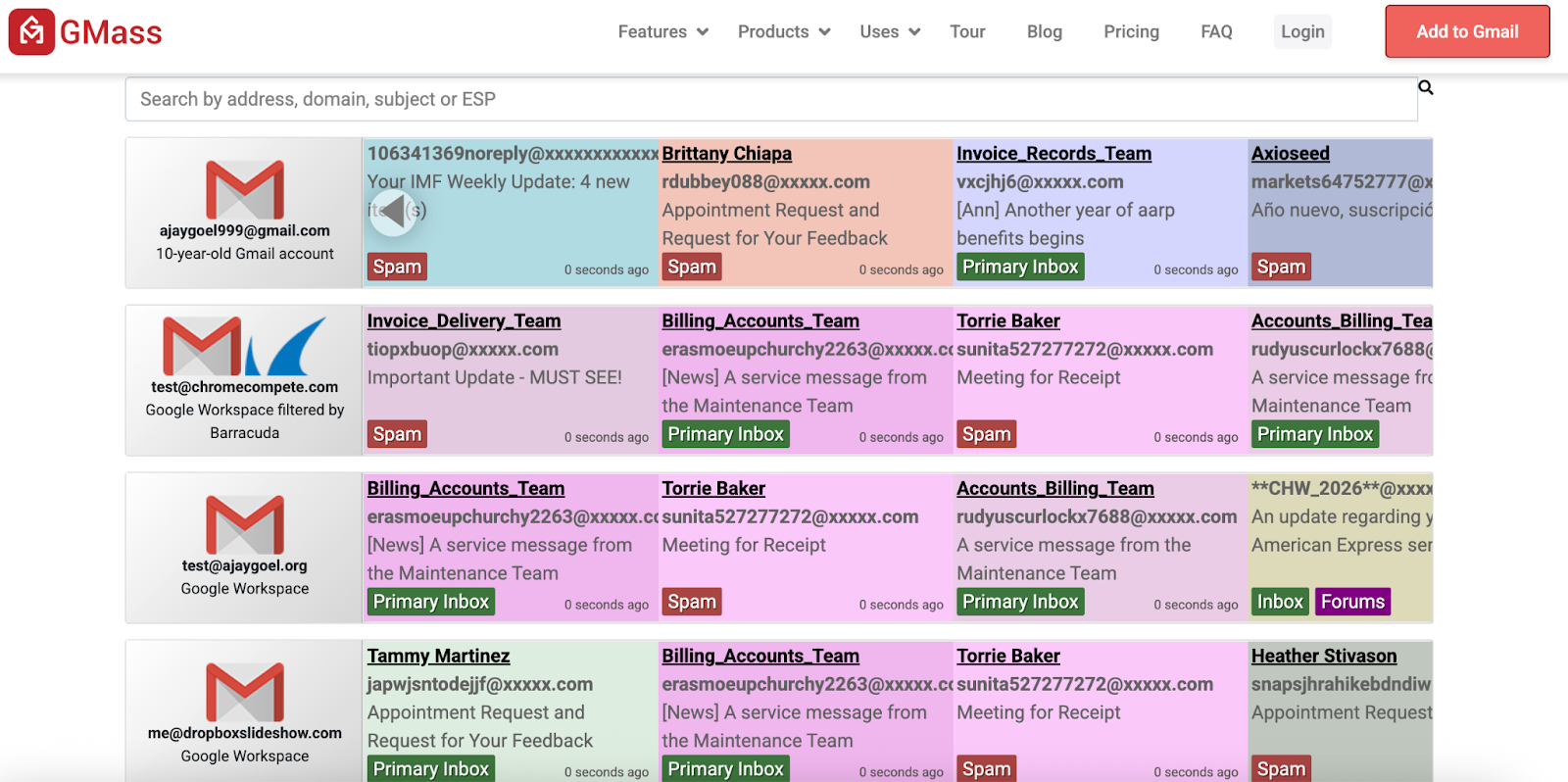
The GMass Email Deliverability Tester provides focused Gmail deliverability testing and tab classification checks. It reports where emails land in Gmail (such as Primary, Promotions, Updates, or Spam), making it useful for Google Workspace administrators and marketers who want to observe Gmail-specific placement.
GMass’s tester is helpful for seeing how Gmail classifies emails, but it does not improve inbox placement or stabilize sender reputation for cold outreach. It also does not offer Outlook or Microsoft 365 visibility, warmup capabilities, sender reputation monitoring, or cross-domain or multi-provider diagnostics, so it is best suited for Gmail-only analysis rather than broader deliverability or cold email programs.
Send your Gmail email campaign using GMass email deliverability tester
Key Features
Tests Gmail delivery: The tool verifies inbox placement across all Gmail tabs, helping teams understand how Gmail categorizes their messages based on content and sending patterns.
Best for Google Workspace: It is optimized for Google Workspace environments, making it suitable for teams that primarily send email through Gmail and want Gmail-specific classification insights.
Pros vs MXToolbox
Provides real Gmail tab classification visibility, which MXToolbox does not offer
Useful for diagnosing Gmail-specific placement patterns
Limitations
Limited to Gmail only; no Outlook or Microsoft 365 visibility
Does not provide cross-provider inbox diagnostics
No warmup or engagement-based reputation building
Does not surface sender reputation signals beyond Gmail classification outcomes
Best For
Google Workspace administrators and IT teams
Email senders seeking granular Gmail tab-classification and inbox-placement insights
Pricing
The GMass Email Deliverability Tester is a free tool that anyone can use, with no GMass account or paid subscription required. It is separate from GMass’s paid email-sending plans, which cover campaign features, tracking, and automation inside Gmail.
4. Google Admin Toolbox
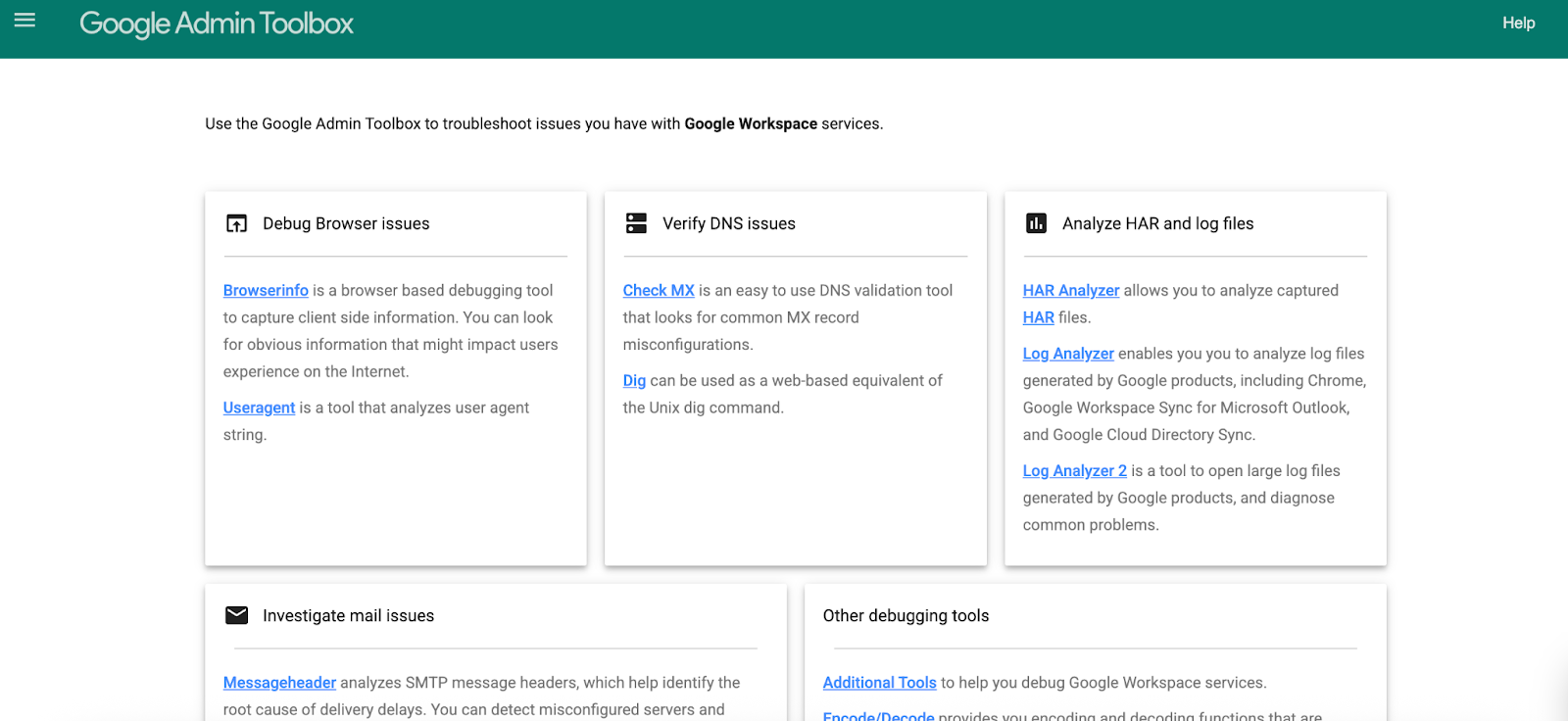
Google Admin Toolbox helps Google Workspace administrators validate DNS records and verify email authentication. It runs SPF, DKIM, and DMARC checks, making it ideal for teams responsible for Google Workspace email configurations.
Google Admin Toolbox - A MXToolbox alternative
Key Features
SPF, DKIM, and DMARC validation: Runs comprehensive checks to ensure your Google Workspace domains are configured with email authentication settings, reducing delivery failures caused by misconfiguration.
DNS diagnostics for Google Workspace: Provides domain-specific DNS lookups and detailed error reporting tailored to Google’s infrastructure, helping teams quickly identify and resolve misconfigurations.
Platform-specific troubleshooting: Offers connectivity tests and configuration checks aligned with Google Workspace best practices, simplifying root-cause analysis for email delivery issues.
Pros
Offers deeper DNS logs and more granular insights for Google Workspace domains
Tailored for Google Workspace, providing platform-specific diagnostics and troubleshooting
Limitations
DNS-first tool only; does not provide inbox placement visibility or reputation signals
Not designed for cold email outreach or broader deliverability diagnostics
Best For
Google Workspace administrators
Teams that require robust DNS validation and authentication monitoring for Google Workspace domains
Pricing
Google Admin Toolbox is free for Google Workspace administrators and provides DNS validation and email authentication checks as part of the Workspace suite.
5. Postmark Tools
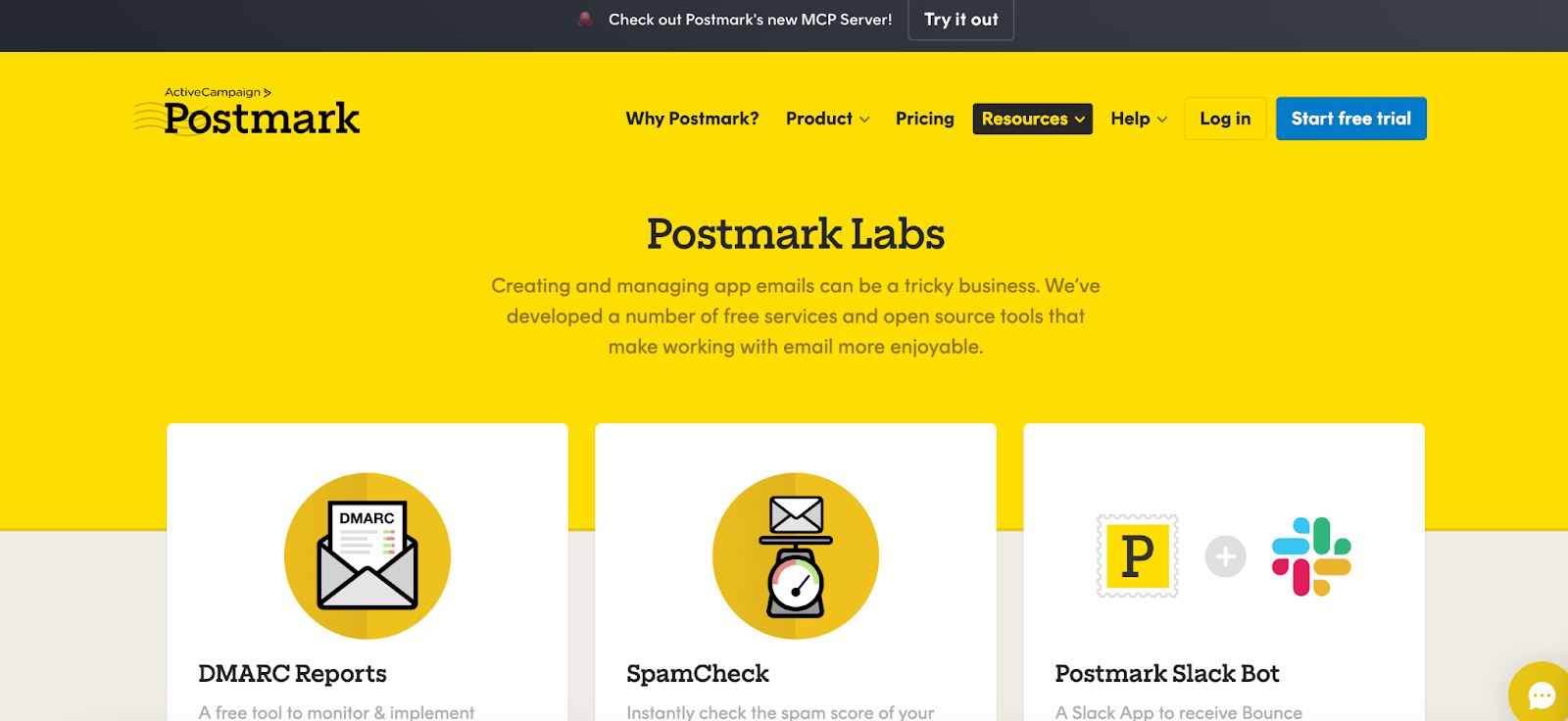
Postmark Tools are designed for Postmark customers who need reliable DNS validation for DMARC and SPF records. These tools help users verify authentication settings, improving deliverability.
Creating email campaigns with Postmart
Key Features
DMARC and SPF record validation: Postmark Tools help users verify DMARC and SPF records, ensuring correct email authentication for improved deliverability.
Configuration dashboard: Provides a centralized interface for managing DNS settings, authentication records, and troubleshooting within Postmark.
Pros
Provides detailed DNS logs and validation, often with additional context for Postmark users
Tailored for Postmark’s platform, offering specific insights and troubleshooting for Postmark users
Free for Postmark users
Limitations
Uses a DNS-first approach; it does not offer inbox placement or sender reputation diagnostics
Not designed for cold-email workflows and lacks broader deliverability testing such as seed-list testing, content analysis, and spam-filter scoring
Best For
Postmark teams (developers, ops, and administrators) requiring reliable DNS validation and authentication monitoring
Pricing
Postmark’s tools are free for Postmark users and include DMARC and SPF lookups as part of their email service.
6. Mailgun
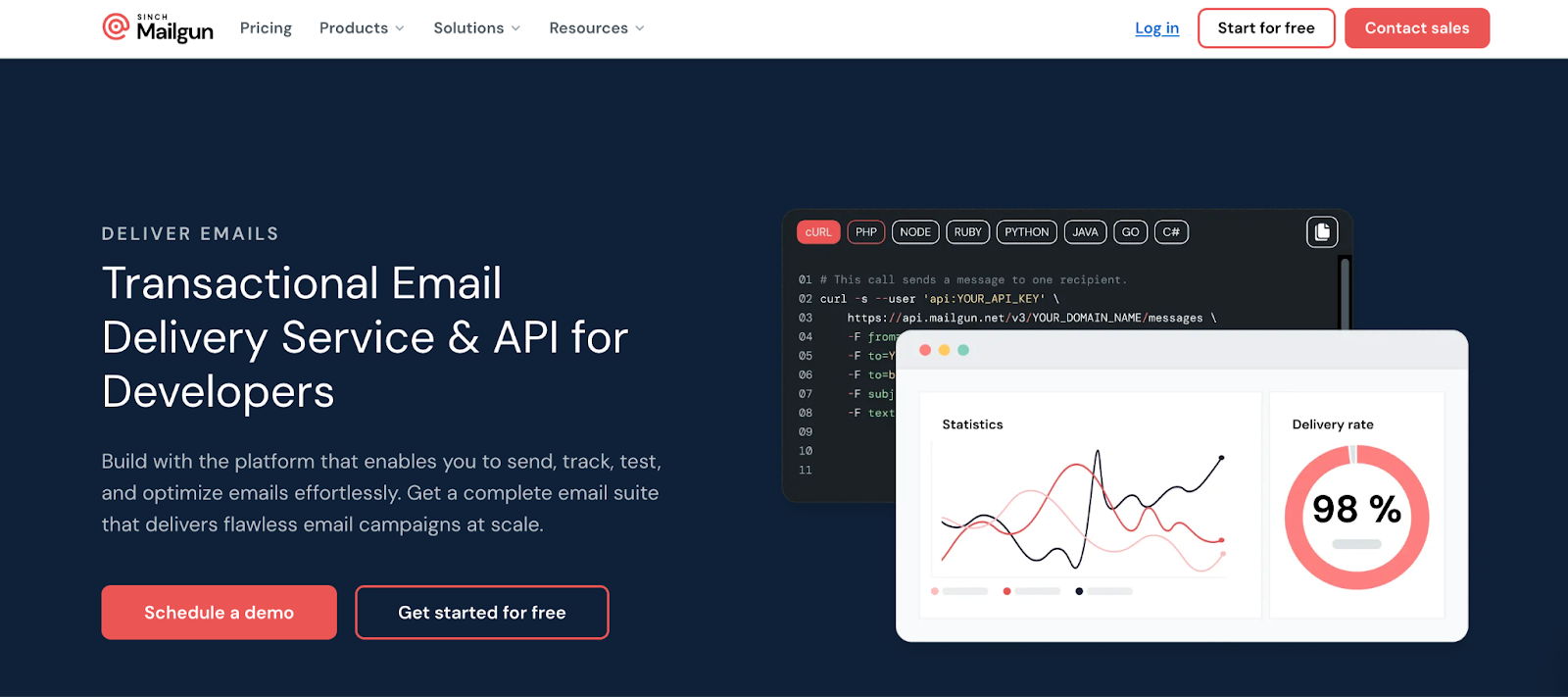
Mailgun provides DNS checking and detailed sending logs so teams can validate DNS records and analyze sending behavior (bounces, delivery errors, volume and timing). It is useful for teams using its service to validate domain authentication (SPF, DKIM, DMARC), monitor sending logs and delivery metrics (bounce rates, delivery errors, sending volume), and troubleshoot authentication or delivery issues.
Mailgun - An MXToolbox alternative
Key Features
DNS checker: Allows users to validate SPF, DKIM, and DMARC records directly within the Mailgun platform, ensuring accurate email authentication
Detailed sending logs: Provides comprehensive visibility into sending activity, including bounce rates, delivery errors, and volume metrics, enabling users to monitor and troubleshoot email campaigns
Delivery analytics: Provides insights into email delivery performance, including timing, volume, and recipient engagement, enabling users to optimize sending strategies
Pros
Mailgun provides DNS logs and more detailed sending analytics, giving users a clearer picture of their domain health
Customized for the Mailgun platform and provides platform-specific insights and troubleshooting for senders
Limitations
DNS-first tool with no warmup capabilities or features to improve and maintain sender reputation.
Not optimized for cold email outreach or broader deliverability needs
Best For
Mailgun users needing reliable DNS validation and detailed sending analytics
Pricing
Mailgun’s DNS checker and sending logs are included at no extra cost with Mailgun email service plans.
Which MXToolbox Alternative is Better for Email Deliverability?
MXToolbox continues to be a reliable starting point for DNS and infrastructure validation.
In 2026, a robust deliverability stack combines tools for DNS and infrastructure, inbox placement, and sender reputation management.
Use MXToolbox or Google Admin Toolbox for DNS configuration and authentication validation
Use GMass for Gmail-specific inbox and tab-classification visibility
Use GlockApps for seed-based inbox diagnostics across multiple ISPs
Modern email deliverability requires inbox placement insights and automated warmup sequences for new sending domains.
MailReach measures B2B inbox placement across Gmail and Outlook using live test emails and provides insight into reputation signals inferred from inbox outcomes. In addition, MailReach offers:
End-to-end DNS validation for SPF, DKIM, and DMARC
Inbox placement monitoring with free spam tests and alerts
Sender reputation monitoring specifically for B2B cold outreach
Automated warmup to build, maintain, and repair sender reputation
Explore MailReach to see how it complements or replaces DNS-only tools and when it’s the right choice for B2B cold outreach and deliverability.
Deliverability issues are expensive. Fix them fast.
Every email in spam equals to a lost potential customer. Start improving your inbox placement today with MailReach spam testing and warmup.
Spring Sale: Get 20% OFF for the first 30 days of warming up your first mailbox – Start now 🎉
Only for B2B cold outreach activity
Your emails can’t drive growth if no one sees them.
Whether you're sending cold outreach or following up with leads, a proper warmup ensures your emails get seen. Make sure your best campaigns don’t go to waste.
Your B2B cold emails deserve great deliverability.
Following the rules isn’t enough—know where your emails land and what’s holding them back. Check your spam score with our free test, and improve deliverability with MailReach warmup.
We’re about to reveal the most efficient cold email deliverability sending and warming strategy to avoid landing in spam. Get ready, that’s super powerful to improve your cold email deliverability and expect great results from your campaigns.

 Email Deliverability





.avif)