Zapmail Alternatives: Tools to Use After Buying Pre-Warmed Inboxes (2026)
Zapmail helps teams buy pre-warmed inboxes. This guide explains the Zapmail alternatives teams use after setup to manage warm-up, sender reputation, and inbox placement at scale.
Deliverability is the missing piece of your email strategy.
Even the most strategic campaigns fail if they get stuck in spam. Make sure your best work gets results. Run a free placement test to see where your emails are really going.
Zapmail is primarily a mailbox procurement tool. Teams use it to buy pre-warmed email inboxes at a lower cost than provisioning Google Workspace or Microsoft 365 accounts directly. That’s where Zapmail’s role ends.
Zapmail doesn’t manage ongoing warm-up, sender reputation, inbox placement, or deliverability once real outbound sending begins.
As soon as campaigns go live, mailbox providers start evaluating behavior, engagement, and consistency across inboxes and domains. At that point, deliverability becomes an operational concern.
This is why teams start looking for Zapmail alternatives.
Not to replace inbox sourcing, but to cover what happens after inboxes are live: maintaining sender reputation, monitoring inbox placement across providers, and stabilizing deliverability as volume, domains, and client environments scale.
In this guide, we break down the most relevant Zapmail alternatives used after pre-warmed inbox setup.
Each tool addresses a different stage of the outbound lifecycle, from early warm-up support to ongoing inbox placement visibility, so teams can choose the right layer based on how and where risk actually appears.
What Zapmail Doesn’t Cover After Inbox Setup
Zapmail focuses on provisioning inboxes and preparing them for initial outbound activity. Once sending begins, however, several deliverability controls fall outside its scope. These gaps become more visible as volume increases, domains multiply, and mailbox provider evaluation shifts from setup signals to sustained behavior.
1. Inbox placement visibility
Zapmail doesn’t provide visibility into how mailbox providers classify messages once outbound sending begins. There’s no inbox placement monitoring, inbox seeding, or provider-level classification reporting as part of the product scope.
As a result, you lack direct insight into whether messages are delivered to the inbox, routed to spam, or silently filtered after campaigns go live.
2. Ongoing warm-up and reputation management
Zapmail supplies mailboxes in a pre-warmed state, but doesn’t manage sender reputation once live outbound sending begins. Mailbox providers continuously evaluate sending behavior based on volume patterns, engagement, and consistency over time.
Without ongoing warm-up or reputation monitoring, inbox health becomes dependent on sending practices and external tools.
3. Provider-level diagnostics and failure attribution
When inbox placement or engagement declines, Zapmail doesn’t surface diagnostic signals to explain the underlying cause. There’s no visibility into provider-specific throttling, filtering behavior, or authentication-related failure modes.
This makes it difficult to distinguish between content-based filtering, reputation degradation, or infrastructure misconfiguration. Recovery efforts, therefore, rely on indirect indicators and iterative adjustments rather than targeted, provider-specific remediation.
Post-Zapmail Tools for Deliverability Control
Zapmail solves inbox procurement. The tools below solve what happens after inboxes exist. They don’t replace Zapmail. They extend it.
Tool
Lifecycle Stage
Primary Control Layer
Operational Trigger
Pricing
MailReach
Scaled Outbound & Reputation Control
Live inbox placement monitoring, domain-level reputation tracking, and API-driven automated email warm-up
When multi-domain outbound is already live and placement stability must be supervised continuously
From $25 per mailbox/month for warm-up, plus usage-based pricing for spam test credits
Warmy.io
Early Warm-Up & Testing
Engagement-based warm-up and seed placement validation
When new inboxes or domains need early reputation before scaling
Volume-based, demo-led pricing with 7-day free trial
TrulyInbox
High-Volume Warm-Up
Low-cost warm-up with blacklist and authentication checks
When large inbox fleets must be warmed on a constrained budget
Free to $289/month across tiered volume plans
Lemwarm (by Lemlist)
Native Warm-Up
Scripted warm-up inside Lemlist workflows
When all outbound already runs inside Lemlist
$29–$49 per inbox/month, included with Lemlist
Folderly
Diagnosis & Remediation
Continuous inbox audits, spam trigger analysis, and recovery workflows
When placement is already unstable and reputation damage is visible
Starting at ~$96 per mailbox/month, decreasing at higher volumes
1. MailReach
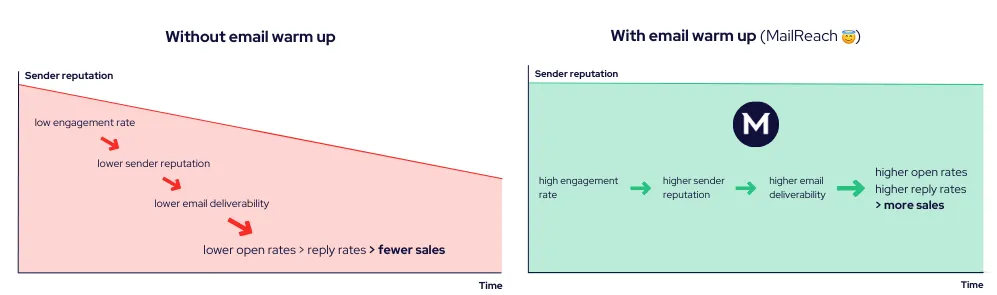
MailReach platform overview featured as a primary alternative to Zapmail for deliverability control
MailReach is a B2B email deliverability platform that raises and monitors inbox placement, sender reputation, and authentication health during active outbound campaigns.
It connects to your existing sending infrastructure and tracks how Google Workspace and Microsoft 365 evaluate your emails as sending volume increases.
MailReach also includes an automated monitoring layer called Co-Pilot that scans placement ratios, reputation signals, and authentication status across inboxes and domains.
When placement drops, blocklist exposure increases, or reputation begins to decay, MailReach flags these shifts early, allowing corrective action before large-scale throttling or inbox blocking occurs.
Unlike Zapmail, which focuses primarily on initial inbox preparation, MailReach supports both phases: preparing new inboxes before campaigns start and protecting sender reputation once sending is underway.
Once multiple inboxes, rotating domains, and sustained volume come into play, risk shifts from setup errors to silent filtering, domain-level reputation loss, and inconsistent placement across providers. MailReach is built to surface these issues in real time.
MailReach runs automated email warm-up across a network of 30,000+ verified Google Workspace and Office 365 inboxes. Its adaptive ramp logic adjusts daily send volume based on inbox age, placement behavior, and reputation trends.
Consistent warm-up improves open and reply rates and supports email deliverability over time
Warm-up traffic flows through a network of professional Google Workspace and Microsoft 365 inboxes, ensuring that reputation signals reflect real B2B filtering environments.
Automated warm-up across a network of Google Workspace and Microsoft 365 inboxes
Real-time alerts when reputation indicators or placement ratios fall outside pre-defined safe ranges
Continuous email authentication and blocklist monitoring for SPF, DKIM, and DMARC
Slack alerts that surface deliverability changes inside your existing workflows
Per-inbox and per-domain reputation tracking to monitor trust trends over time
API access for warm-up automation and large-scale inbox lifecycle management
Live inbox-versus-spam placement testing across major mailbox providers
Centralized oversight for managing large inbox networks and multi-domain portfolios
Pros
Cons
Reduces spam folder placement even when content quality is already strong
Uses placement and reputation data rather than generic spam scores, providing actionable guidance for remediation
Streamlines reputation management for agencies and multi-client environments through consolidated inbox and domain oversight
Separates deliverability risk monitoring from campaign execution, reducing operational disruption when issues arise
Does not support B2C, newsletter, or bulk marketing traffic
Higher pricing compared with bundled tools. While this may seem high at low volumes, it is justified by the platform’s diagnostic depth and network quality for B2B cold outreach
Pricing
Pricing starts at $25 per mailbox per month for warm-up, with additional usage-based pricing for spam test credits.
Ideal for agencies managing 50 to 1,000+ client inboxes and multi-domain outbound teams scaling across regions, campaigns, or brands
2. Warmy.io
Warmy API positioned for automated warm-up among Zapmail competitors with API access
Warmy.io is an AI-powered email warm-up and deliverability tool that boosts early engagement signals for new or underperforming inboxes. It adjusts sending behavior to help inbox providers establish baseline trust.
The platform supports both traditional business inboxes and SMTP-based setups. Unlike Zapmail, Warmy separates warm-up from mailbox provisioning, making it easier to pair with Smartlead alternatives and other outbound tools without relying on a single inbox source.
Key Features
Generates personalized warm-up messages for each interaction
Provides API access for programmatic warm-up and third-party integrations
Includes a seed list for live provider-level engagement validation
Supports multi-language warm-up across 30+ languages
Pros
Cons
Provides confidence to send onboarding, renewal, and CRM-triggered emails without deliverability concerns
Supports white-labeled client reporting and multi-account visibility for client-facing workflows
Facilitates early outreach experiments without long diagnostic delays
Template or language-based warm-up creates repetitive engagement patterns that mailbox providers can easily classify as synthetic
Undisclosed network composition and inbox types raise concerns about data reliability
Requires more manual setup compared to fully plug-and-play solutions
Pricing
Warmy offers volume-based, demo-led pricing for B2B, B2C, and custom plans, including a 7-day free trial with no credit card required.
Ideal for teams that require a dedicated warm-up layer, basic
inbox placement
confirmation, and API-level control before scaling B2B outbound sending
3. TrulyInbox
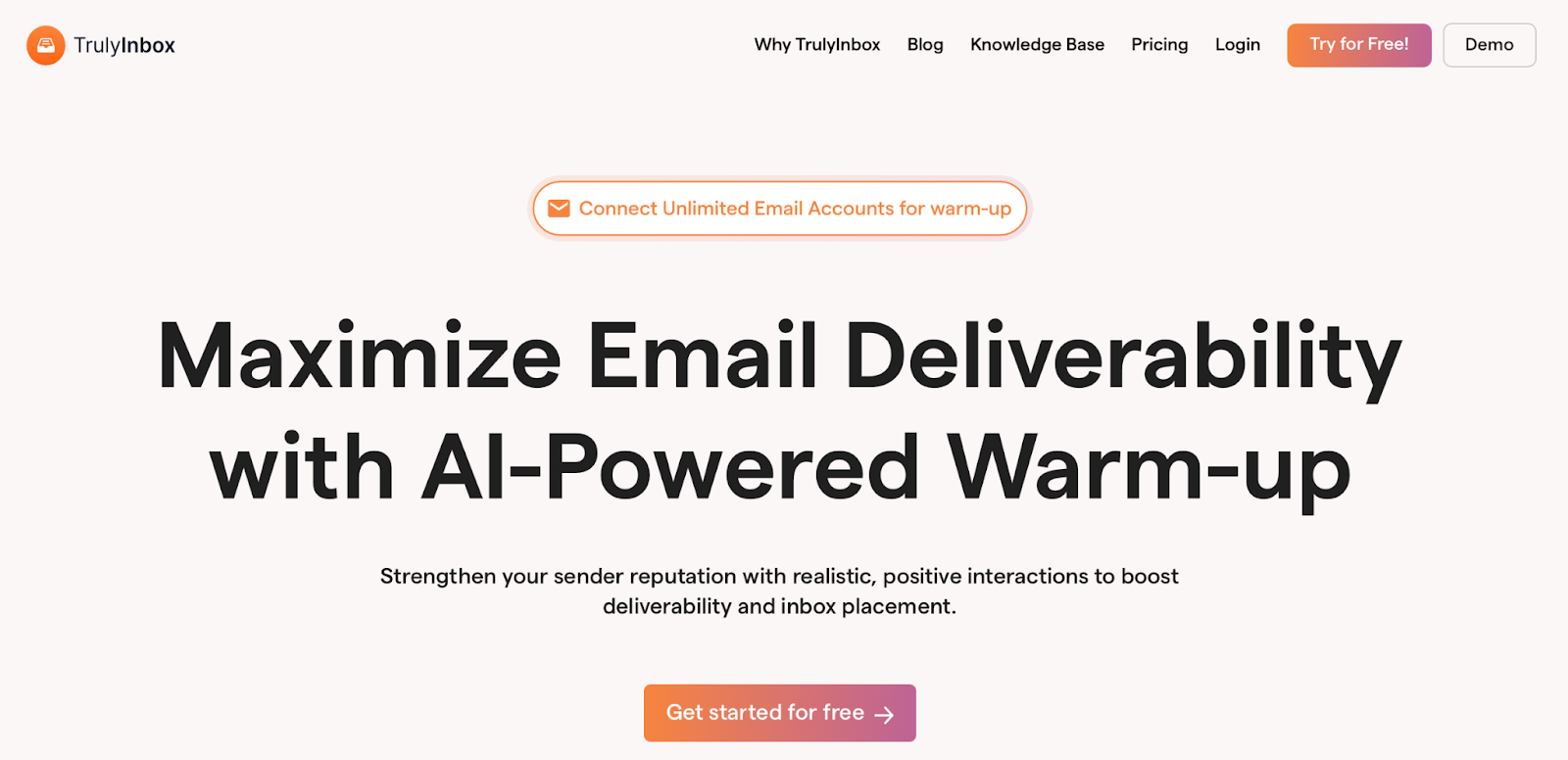
TrulyInbox homepage highlighting AI-powered warm-up among alternatives to Zapmail for deliverability
TrulyInbox is an email warm-up software that gradually rebuilds or establishes sender reputation using human-like engagement patterns instead of synthetic automation.
It’s positioned as a low-cost, high-volume warm-up layer for simulating organic sending behavior before initiating full outbound campaigns.
Unlike Zapmail, TrulyInbox operates within senders’ existing inboxes rather than pre-bundled mailboxes, providing greater control when testing different Mailivery alternatives or internal sending setups.
Key Features
Built-in authentication checks for SPF, DKIM, DMARC, MX records, and blocklist status
Ideal for high-volume outbound agencies and lead-generation teams that require low-cost, unlimited inbox warm-up at scale. These teams should be able to operate with more basic diagnostics and support.
4. Lemwarm by Lemlist
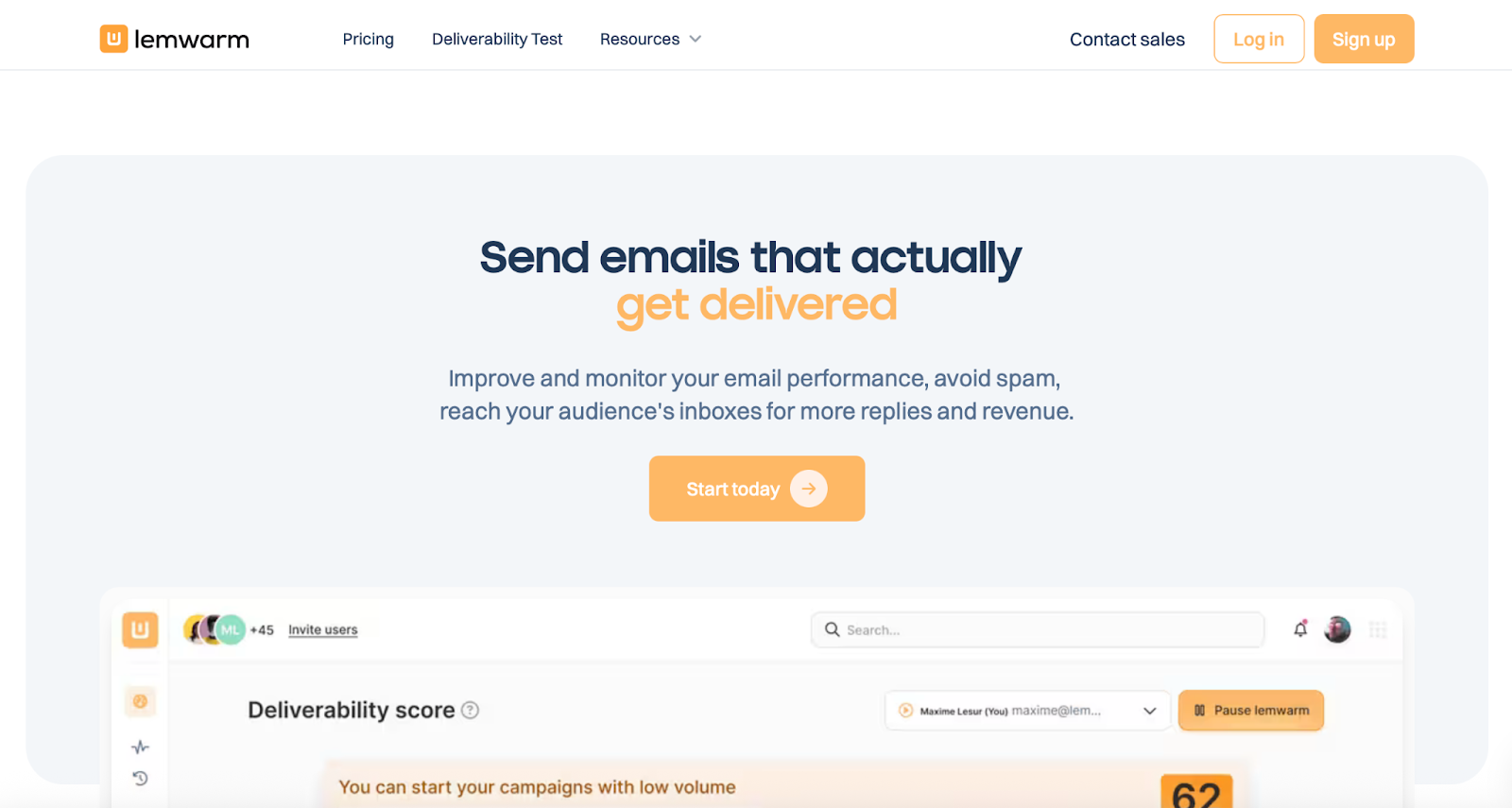
Lemwarm interface used inside Lemlist as a native warm-up option among tools similar to Zapmail
Lemwarm is the built-in email warm-up tool within Lemlist, a B2B cold outreach platform for running email sequences and sales prospecting campaigns. Compared with Zapmail and similar alternatives, Lemwarm relies on scripted engagement rather than adapting to multi-domain setups, varied sending volumes, or ISP-specific behavior.
Technical checks for email configuration and sending behavior
Team-wide coordination to manage multiple sender accounts
Warm-up network of over 20,000 active domains
Pros
Cons
Enables existing Lemlist users to activate warm-up without adding a new tool
Enables non-technical sales users to initiate warm-up with minimal configuration
Reduces early reputation damage when launching campaigns at full volume
Warm-up logic relies on scripted engagement patterns instead of adaptive reputation modeling
Doesn’t provide independent spam testing, blacklist monitoring, or native provider reputation insights
Relies solely on Lemwarm’s internal user network, without independently verified mailbox pools
Pricing
Essential: $29 per inbox per month (Automatic warm-up)
Smart: $49 per inbox per month (Warm-up using your real email templates)
Custom: Contact sales (Suitable for more than 10 users)
Included free with an active Lemlist subscription
Ideal for B2B sales workflows that operate fully within Lemlist. It is suitable for teams that only require basic native warm-up without external deliverability tools.
5. Folderly
Folderly dashboard view as one of the alternatives to Zapmail for deliverability monitoring
Folderly is an email deliverability platform that continuously tests inbox placement, analyzes spam triggers, and tracks sender reputation across live sending campaigns.
It’s used after warm-up to diagnose why emails land in spam, identify technical or content-level risks, and stabilize inbox performance over time.
While Zapmail focuses on preparing inboxes before outreach begins, Folderly is typically used alongside AI tools for B2B email deliverability. It analyzes live sending behavior and flags structural risks after campaigns are already running.
Key Features
SOC 2 and ISO 27001 certified security compliance
Real-time mailbox health monitoring and campaign stability tracking
Inbox placement analysis across IPs and DNS records prior to campaign launch
API and SMTP integration with Gmail, Outlook, Yahoo, Amazon SES, SendGrid, SparkPost, Mailgun, and custom ESPs
Pros
Cons
Supports large outbound systems requiring continuous sender health enforcement rather than episodic fixes
Mitigates deliverability volatility through continuous reputation management rather than one-time warm-up cycles
Provides operational visibility across DNS, IPs, and content within a single monitoring layer
Relies heavily on recurring audits and diagnostics, thereby increasing cost without consistently improving inbox placement
Dashboard diagnostics may not always align with real-world DNS and SPF validation results
Incident response isn’t guaranteed during high-risk failure windows
Pricing
1–9 mailboxes: ~$96 per mailbox per month
10–24 mailboxes: ~$72 per mailbox per month
25–99 mailboxes: ~$56 per mailbox per month
100+ mailboxes: Custom pricing
Annual plans offer up to 20% discounts.
Ideal for scenarios where multiple stakeholders rely on consistent inbox performance. It is suitable for teams aiming to minimize deliverability failures.
Zapmail effectively prepares inboxes for initial outreach. Limitations arise as outbound complexity grows, including multiple domains, sustained daily volume, client environments, and reputation risk beyond open rates.
This is the point at which warm-up ceases to be the primary concern, and inbox placement becomes the fundamental constraint.
Among the Zapmail alternatives discussed, each tool addresses a different phase of the lifecycle. Warmy, TrulyInbox, and Lemwarm support early ramp-up and low-cost volume testing. Folderly serves as a post-failure diagnostic layer for organizations facing placement instability.
MailReach operates between these two extremes, bridging early warm-up and post-failure diagnostics
It combines live inbox placement monitoring, domain-level reputation tracking, and API-driven automated email warm-up. This enables programmatic control of ramp-up and recovery across large inbox fleets without manual coordination.
When outbound impacts client delivery, pipeline stability, and multi-domain risk, deliverability becomes an ongoing operational concern. The focus shifts from which tool initiates inboxes faster to which system maintains placement under sustained load.
If you’re evaluating Zapmail alternatives, the easiest next step is to see how your emails perform under real conditions.
Try MailReach’s warm-up and spam testing to observe inbox vs spam placement across Google Workspace and Microsoft 365, monitor reputation signals, and understand how your current setup behaves as volume scales.
Deliverability issues are expensive. Fix them fast.
Every email in spam equals to a lost potential customer. Start improving your inbox placement today with MailReach spam testing and warmup.
Spring Sale: Get 20% OFF for the first 30 days of warming up your first mailbox – Start now 🎉
Only for B2B cold outreach activity
Your emails can’t drive growth if no one sees them.
Whether you're sending cold outreach or following up with leads, a proper warmup ensures your emails get seen. Make sure your best campaigns don’t go to waste.
Your B2B cold emails deserve great deliverability.
Following the rules isn’t enough—know where your emails land and what’s holding them back. Check your spam score with our free test, and improve deliverability with MailReach warmup.

 Email Warmup





.webp)